ManxChartPlotter

Manx
A fast, light chart plotter for the Raspberry Pi, Linux, macOS, Windows and Android.
Beta. Not for navigation. Download · Features · Screenshots · Performance
Why Manx
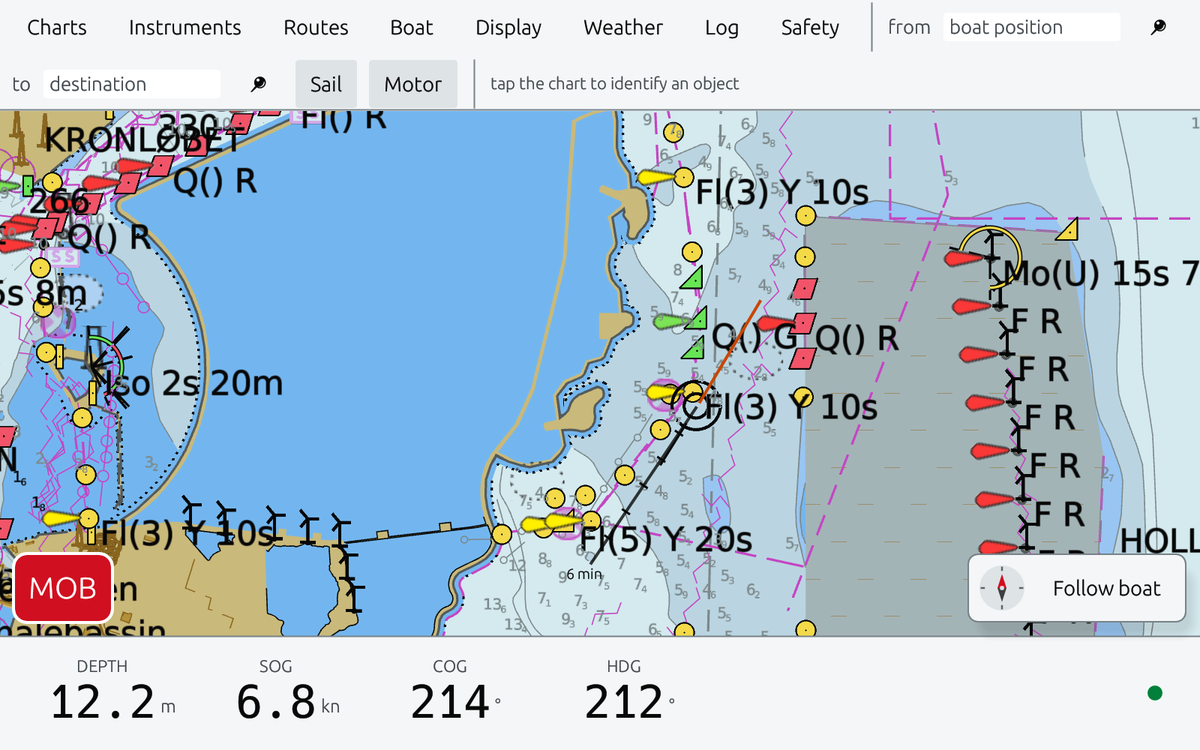
I’m Denis. I own a boat, and I couldn’t stop myself geeking around with AI to see if I could build a brand-new chart plotter that runs smoothly on computers like the Raspberry Pi and Odroid.
OpenCPN was too slow for me, and fixing it looked harder than starting over. Raspberry Pis are on more and more boats, and they deserve a plotter built for them. So Manx is written in Rust and draws with Vulkan: fast, light, modern, built to last.
This is the result of about ten months of trial and error. It wouldn’t have been possible without projects like OpenCPN.
A chart plotter can be blazing fast. Manx proves it.
Features
- Charts. S-52, drawn as the standard says. o-charts and free NOAA ENCs.
- Chart downloads. Sign in with your o-charts account to download charts you bought at o-charts.org, or download free NOAA charts, all in the app.
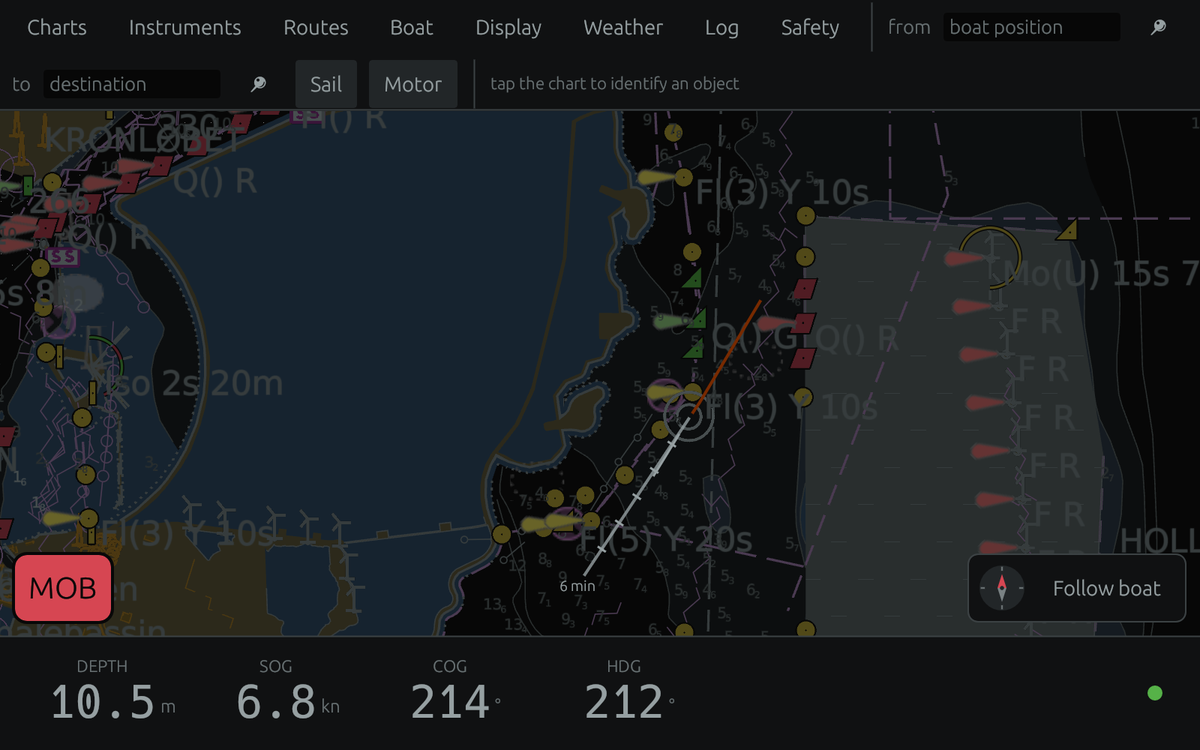
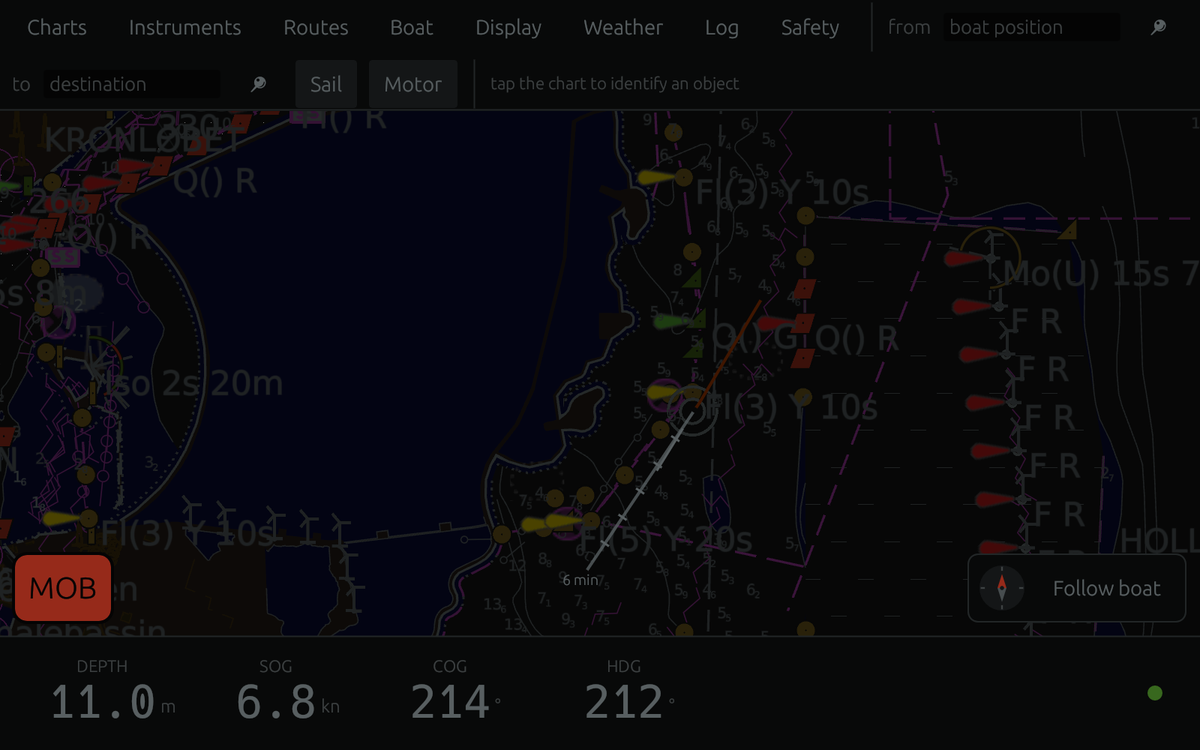
- Day, Dusk, Night. IHO colours. The interface dims with the chart.
- Signal K. The only data source, so there is one thing to set up.
- AIS. Targets and CPA alarms.
- Routes. Plan on the chart. GPX in and out. Shared with Signal K.
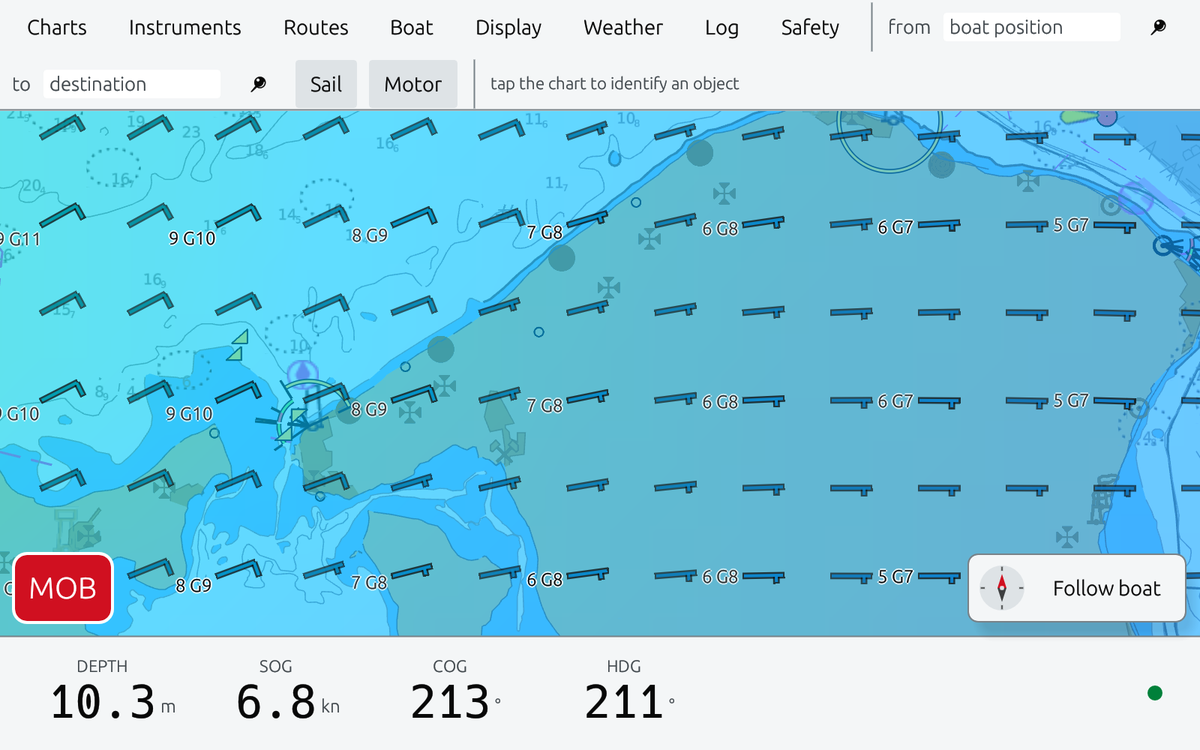
- Weather. Wind and gusts, waves, currents, rain, tides.
- Weather routing. Isochrones with your boat’s polar.
- Safety. MOB, anchor watch, alarms, logbook.
- Touch first. Big targets. North-up, head-up, two-finger twist.
Screenshots
| Dusk palette | Night palette |
|---|---|
 |
 |
| Wind and gusts over the Kattegat | Forecast for where you are |
|---|---|
 |
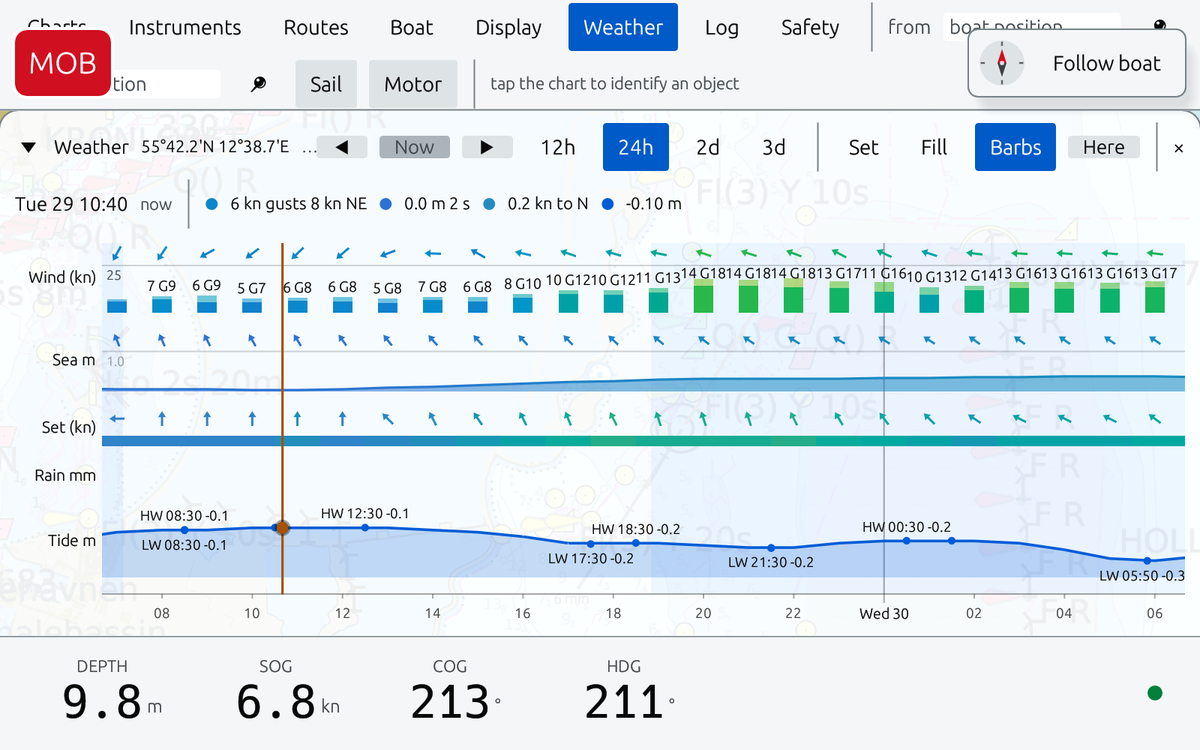 |
Performance
Raspberry Pi 5 (4 GB) at 1920 × 1080, NOAA charts of San Diego.
| Panning and zooming every frame | View held still | |
|---|---|---|
| Frame rate | 60 fps (display limit) | — |
| Frame time, 95th percentile | 16.8 ms | — |
| CPU | 28 % of one core | 0 % |
| GPU | 19 % busy | 0 % |
| Memory | 242 MB (263 MB peak) | 229 MB |
Measured with MANX_PROFILE=1 MANX_STRESS=coast and the rig’s sampler (doc/pi5-test-rig.md).
ODROID-C5 (Android 14, 4 GB) at 1920 × 1080, the same charts and tour, with Signal K connected.
| Panning and zooming every frame | View held still | |
|---|---|---|
| Frame rate | 55 fps on average; 60 fps in 31 of 45 five-second windows | — |
| Frame time, 95th percentile | 18.0 ms (median window); up to 90 ms while new tiles are built | — |
| CPU | 72 % of one core | 3 % |
| Memory (app’s own heap) | 290 MB | — |
| GPU memory | ~320 MB | — |
| Chip temperature | 51 °C (53 °C peak) | 46 °C |
The C5’s four Cortex-A55 cores build new tiles more slowly than the Pi 5’s A76 cores, so frames stretch while the tour reaches fresh chart areas. Measured 2026-10-01 with manx.env (see deploy/ANDROID.md), dumpsys meminfo and a 1 s sampler over adb.
Memory is not comparable between the two tables. The Pi’s figure is the process’s resident memory; Android’s Mali driver also counts the GPU’s buffers to the app, so the C5’s GPU memory is listed on its own line. And memory depends on what has been viewed rather than on the platform: every chart cell Manx parses stays in memory until it quits. Zoomed out to the whole world with the 443 California cells installed, a fresh start holds 795 MB of heap (plus 230 MB of GPU memory) within 15 seconds, against 290 MB for the San Diego tour. Both are fixed now: zoomed out, Manx no longer parses cells too detailed to draw (87 MB at world view), and parsed charts are kept within a budget of a quarter of the memory, dropping the least recently used ones but never those on screen or under the boat.
Download
- Raspberry Pi 5 and other 64-bit ARM Linux, like Odroid
- Linux PCs (x86_64)
- macOS (Apple silicon)
- Android (64-bit ARM, like the ODROID-C5)
- Windows (x86_64): free charts for now; o-charts not yet
Unpack and run manx. Setup and o-charts: deploy/INSTALL.md.
To build it yourself: cargo run --release -- /path/to/charts. Raspberry Pi: deploy/README.md. Android: deploy/ANDROID.md.
o-charts terms
o-charts licenses its charts for OpenCPN and for programs derived from OpenCPN’s presentation and encryption code. Manx is one of those. Their terms apply as for OpenCPN, with three points to know:
- Support for Manx is ours, not o-charts’. o-charts supports OpenCPN only. Questions about using o-charts in Manx go to Manx’s issues, not to o-charts.
- Each machine uses a licence slot, as in OpenCPN.
- On Android, each app uses its own slot. Charts installed in Manx count as one of your permitted installations and can’t be shared with any other app, OpenCPN included. To use the same charts in OpenCPN on that device, OpenCPN needs another slot.
The name
In the 1950s a Manx shearwater was flown from Wales to Boston and released. Twelve days later it was back in its burrow, 5,000 km across unfamiliar ocean.
Thanks
- OpenCPN taught us how charts are drawn. Parts of Manx come from it.
- o-charts for affordable official charts, and
oexserverdto read them. - Signal K for one open language on board.
- AvNav showed a light plotter on a Pi works.
- QuteNav showed o-charts outside OpenCPN.
- IHO S-52, NOAA, Open-Meteo, Natural Earth, wgpu, egui and the Rust community.
License
GPL-3.0-or-later. Parts are derived from OpenCPN (GPLv2 or later), © David S. Register and the OpenCPN contributors.
Not for navigation. Always carry official charts.